ChabadLabs KI für die Schlichus
DE

Diese Seite ist noch nicht übersetzt und wird deshalb auf Englisch angezeigt. Englische Seite lesen

Ausgabe 12 · Der Wochenbrief

Chabad Labs Weekly.

Meta Put an AI Agent Inside WhatsApp

Ausgabe Nr. 12 Datum 9. September 2026 Lesezeit 5 Min.
01 / Dvar Malchus ▚

The Tech Was Created for One Reason Only

וויבאלד אז דער זהר פארבינדט די התפתחות פון חכמות העולם מיט דער התגלות פון (פנימיות) התורה און מיט ״לאעלא בשביעאה״ - איז דאס גופא א באווייז, אז דאס איז די גאנצע כוונה פון זייער התפתחות [דאס וואס מ׳קען נוצן די תועלת פון די חכמות אויף אנדערע ענינים, איז עס נאר מצד דעם טעם פון בחירה חפשית, כנ״ל].

לקוטי שיחות חלק טו נח-ב

02 / Top AI News & Trends ▚

Meta Put an AI Agent Inside WhatsApp

A shliach on his couch taps a message on his phone while a small robot bursts out of the screen holding a checklist, already running for the open front door.

Meta released Muse on Tuesday, and the important part is where it lives: inside WhatsApp.

Muse is a personal AI agent. It doesn't just answer, it does things. Send an email, book travel, open a browser and fill out forms, turn a recipe reel into a grocery list. It can also keep track of your goals and suggest next steps.

Until now, getting an AI agent into WhatsApp meant wiring up something technical like OpenClaw or Hermes yourself. Muse comes built in. You message it the way you'd message a friend, and it goes and does the thing.

It's available in the US now, free for most things, with paid plans for heavier use.

The interesting part is how normal this suddenly feels. An AI agent that can actually do things for you is sitting inside the app you already open all day.

Before you connect your email or calendar to it, though, decide what you're comfortable handing Meta.

03 / Top AI News & Trends ▚

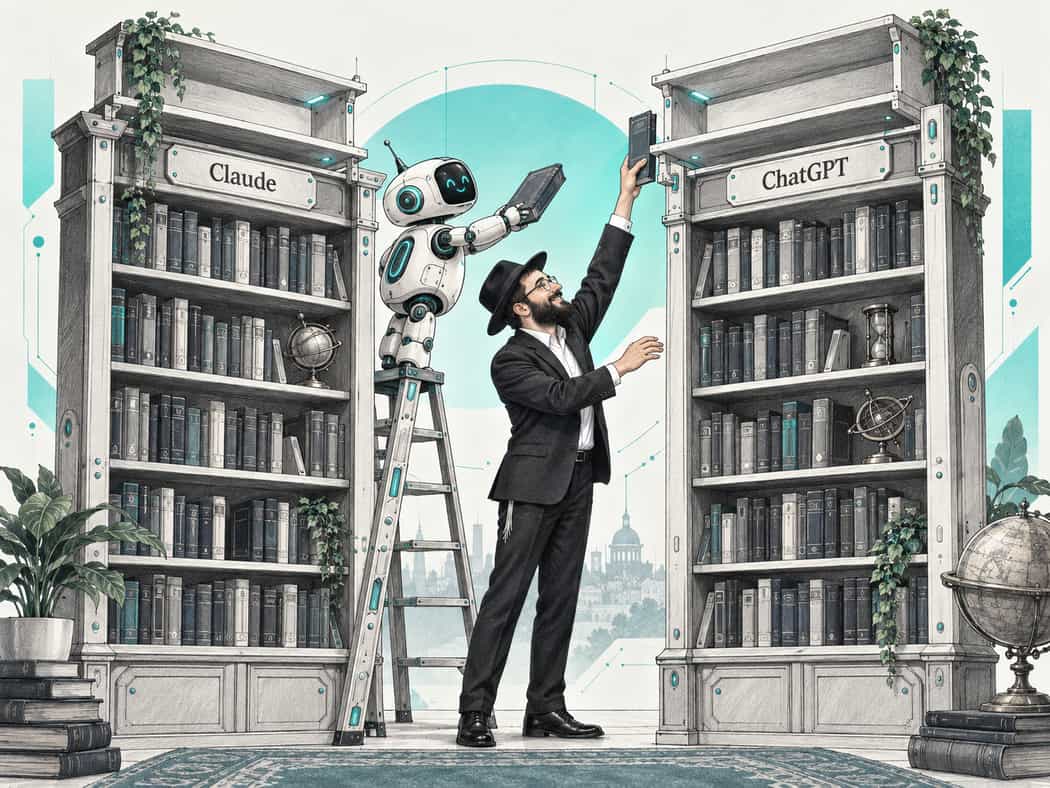
Claude and ChatGPT Both Got a New Top Model

A shliach reaches up to place a book on the new top shelf of a bookcase labeled ChatGPT while a small robot on a ladder adds one to the Claude bookcase beside it.

Within two days of each other, Anthropic released Claude Fable 5.1 and OpenAI released GPT-6 Astra. Both sit at the top end of what these companies now offer.

They're smarter and more capable, and have improved at handling larger, multi-step tasks.

Astra's headline strength is computer use. OpenAI's own line: "Anything you can do on a computer, Astra can do for you."

That means opening websites and programs, clicking, typing, moving between files and apps and actually carrying out the job.

Think: moving names from an email into a spreadsheet and your contacts. Working through a folder of receipts. Filling in forms, booking, ordering and updating things one after another.

This is the bigger shift: start thinking about tasks you would hand to an assistant, not questions you would ask a search engine.

Who gets it:

Claude: Fable 5.1 is not on the free plan. Pro gets access with usage credits; Max includes it.

ChatGPT: Astra is on Pro and Business. On Plus it's available in ChatGPT Work and Codex, but not yet regular chat.

04 / Top AI News & Trends ▚

ChatGPT's Image Maker Got an Upgrade

A shliach holds up a finished flyer while a small robot with a fine brush corrects one word on it, with the rough pencil sketch of the same flyer pinned to the wall behind them.

OpenAI released ChatGPT Images 2.5 this week, and it's available to everyone, including the free plan.

It's faster. OpenAI says images come back in about half the time.

More importantly, edits stay put much better. Fix one word or one object and it's better at leaving the rest of the image alone. You can also mark the exact spot you want changed.

And you can start with a rough sketch or one of ChatGPT's templates for things like flyers and posters.

For flyers and social posts, this is the one to try this week.

05 / Top AI News & Trends ▚

Four New Gemini Features

A shliach at a kitchen table talks into his phone while a small robot sorts his words into three trays labeled Envelope, Flyer and Film Reel.

Gemini is becoming increasingly embedded in Google's tools. Four updates worth knowing about:

1. Talk to Gmail, Docs and Keep

You can now talk to Gemini inside the phone apps.

Ask Gmail when an event is. Talk through an idea and let Docs turn it into a draft. Dictate into Keep and have it organize the result.

It's rolling out gradually, so you may not see it yet.

2. Make music

You know Suno? Google just released Lyria 3.5, its newest music generator, inside Gemini.

Describe what you want and it can make a full track, with or without vocals. It's available to everyone.

3. Edit an AI image without starting again

Google Pics lets you make an image, then change one part or fix the wording without regenerating the whole thing.

For shluchim making flyers and posts, that's potentially a better workflow than trying to prompt your way to a perfect design.

4. Turn a document into a video

Google Vids can take a Doc, PDF or Word file and turn it into a short narrated video summary.

06 / One Thing to Try ▚

Retry the AI Task You Gave Up On

A shliach smooths out a crumpled page on his desk while a small robot beside him holds out a fresh pen, with more crumpled pages in the open drawer.

Open the AI task you gave up on a few months ago. Or weeks ago. Or days ago.

The spreadsheet it kept getting wrong. The program plan that came back bland. The long document it completely misunderstood.

Run the same task again. The models may simply be better enough now.

And before rewriting your prompt, check two things: which model you're using and how much thinking you're giving it.

AI models come at different intelligence levels, and many apps also let you turn their thinking effort up or down.

Lower model + less thinking = faster and cheaper, but weaker.

Stronger model + more thinking = slower and more expensive, but higher quality.

It's relative to the job. Rewriting a WhatsApp message doesn't need your strongest model. A difficult spreadsheet, research job or multi-step task might.

So before deciding AI can't do it, try the same prompt with a stronger model and more thinking.